Deal Workflow — CRM to Commission Payout
Last update:
03/21/2026
Completed
1.3 — Document in Chatter
46 Views •1.1 — Open CRM Pipeline
45 Views •6.1 — Vendor Bills List
44 Views •7.4 — Accounting Dashboard Check
44 Views •4.2 — Posted Invoice Header
43 Views •4.1 — Create & Find the Invoice
43 Views •5.2 — Purchase Order Auto-Created
43 Views •3.5 — Manager & Director Lines
43 Views •3.4 — Commission Status Bar
43 Views •1.2 — Mark Opportunity as Won
42 Views •📝 Knowledge Check — Deal Workflow Certification Quiz
42 Views •7.3 — Commission Overview Report
42 Views •7.2 — Sale Order Final State
42 Views •5.1 — Verify Commission Totals
42 Views •2.4 — Commission Lines Tab
40 Views •6.2 — Vendor Bill Form
41 Views •7.1 — Commission Payment Tracking
41 Views •4.3 — Verify Invoice Lines
40 Views •2.2 — Verify Sale Order Header
40 Views •6.3 — Bill Lines & Payment
39 Views •2.4 — Commission Lines Tab
📍 WHERE TO FIND IT
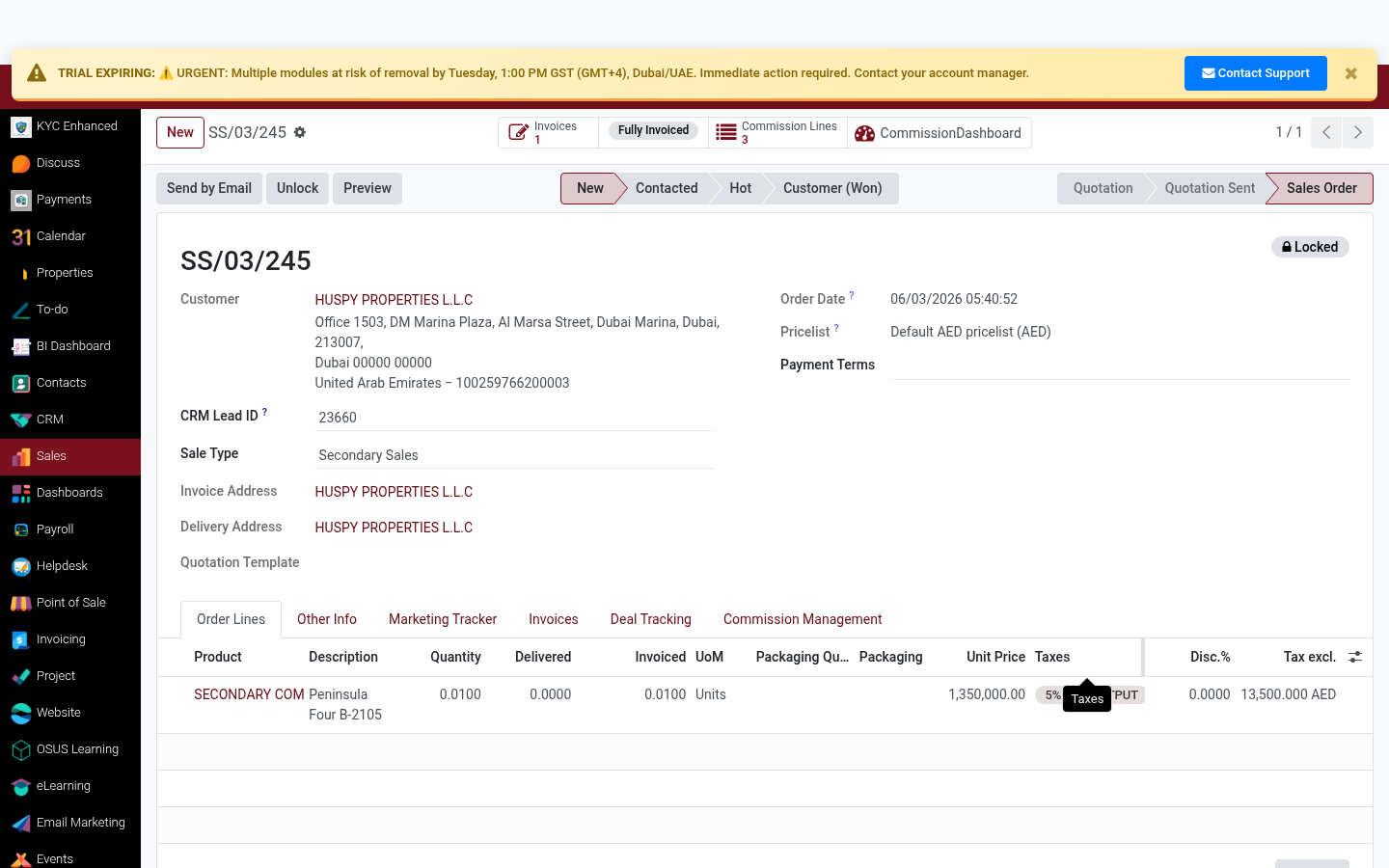
Sales ▸ Orders ▸ [SO] ▸ Order Lines tab
✅ WHAT TO DO
Verify all order lines are correctly entered: unit price, quantity, taxes, and subtotal.
- Unit price must match the agreed sale price
- Tax should be 0% (UAE real estate is VAT-exempt)
- Subtotal must match the CRM expected revenue
1
2
3
💡 TIP
If there are multiple installments, each becomes a separate order line or invoice schedule entry.
Rating
0
0
Commenting is not enabled on this course.